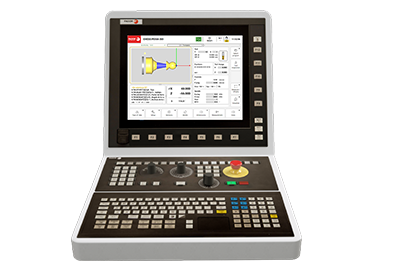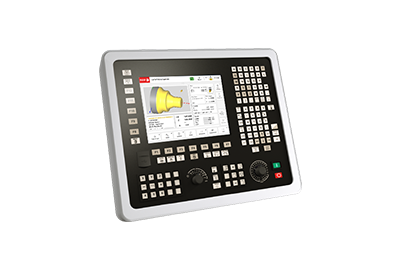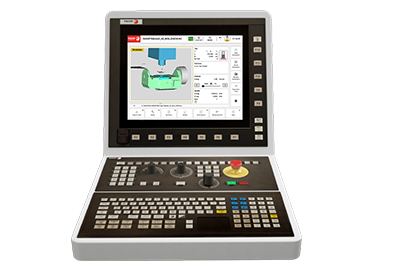
Cover: KIT HBG 800-DP FS
KIT HBG 800-DP FS
Manuals

KIT HBG 800-DP FS

Document details

Format
PDF
Size
6.0 MB
Pages
52
Version
V1.0
Updated

Description

This manual provides technical instructions for the installation, configuration, and maintenance of the HBG 800-DP FS wireless handwheel kit. It covers hardware connection, PROFIBUS to EtherCAT gateway setup, CNC parameter integration, and troubleshooting procedures for safe machine operation.

Intended for machine manufacturers and maintenance technicians responsible for integrating and servicing the HBG 800-DP FS wireless handwheel system.

Available languages

Document contents

70 sections
  1. INDEX 3
  2. 1. CHARACTERISTICS AND CONNECTION. 5
  3. 1.1 HBG 800-DP handwheel. 7
  4. 1.2 HBG 800-DP access point. 8
  5. 1.3 Charging station. 9
  6. 1.4 Support for the charging station. 9
  7. 1.5 Connecting adaptor HBG 800-DP FS. 10
  8. 1.5.1 S1 Switch - PROFIBUS Address. 11
  9. 1.5.2 X1 Connector - PROFIBUS interface. 11
  10. 1.5.3 Connector X2 - Emergency signals, enabling and power 24 V. 11
  11. 1.5.4 Connector X3 - Access point connection. 12
  12. 1.5.5 Connector X4 - Access point connection. 12
  13. 1.5.6 Connector X5 - Outputs for PLC safety. 12
  14. 1.5.7 Connector X6 - Access point connection. 12
  15. 1.6 Response time of the HBG 800-DP FS system. 12
  16. 1.7 Anybus X-gateway (Master PROFIBUS - Slave EtherCAT). 13
  17. 1.7.1 Dimensions. 14
  18. 1.7.2 Connector X1.1 - PROFIBUS connector (9-pin female Sub-D). 15
  19. 1.7.3 Connector X1.2 - PROFIBUS configuration (9-pin male Sub-D). 15
  20. 1.7.4 X3 connector - Power supply connector. 15
  21. 1.7.5 Port 1 (Input) and Port 2 (Output) of EtherCAT. 15
  22. 1.7.6 LED indicators (PROFIBUS). 16
  23. 1.7.7 LED indicators (EtherCAT). 16
  24. 1.8 (SNR-10-223-DT) DC Filter. 17
  25. 1.8.1 Dimensions. 17
  26. 1.9 Toroidal core (KEMET ESD-SR-250). 18
  27. 1.9.1 Dimensions and characteristics of the toroidal core. 18
  28. 1.10 System installation. 19
  29. 1.11 Electrical diagram. 23
  30. 2. PARAMETER SETTING AND START- UP. 25
  31. 2.1 Configuration of the HBG 800-DP handwheel. 25
  32. 2.1.1 Keys and push buttons used to configure the handwheel. 25
  33. 2.1.2 Access the configuration menu. 25
  34. 2.1.3 Change configuration. 26
  35. 2.1.4 Description of menu items. 26
  36. 2.1.5 Test routines. 27
  37. 2.1.6 General description of the configuration. 27
  38. 2.1.7 Handwheel configuration process. 28
  39. 2.1.8 Actions to avoid interruptions. 29
  40. 2.1.9 Frequency table. 29
  41. 2.1.10 Access point LEDs. 30
  42. 2.1.11 Connection adapter LEDs. 30
  43. 2.2 Configuration of the Anybus X-gateway. 31
  44. 2.2.1 Connected to carry out gateway configuration. 31
  45. 2.2.2 Configuration of master and slave address. 32
  46. 2.2.3 PROFIBUS Configuration. 33
  47. 2.2.4 PROFIBUS Master configuration. 34
  48. 2.2.5 EtherCAT slave configuration. 34
  49. 2.2.6 Generation of ESI file. 35
  50. 2.3 CNC configuration. 36
  51. 2.3.1 Machine parameters. 36
  52. 2.3.2 Integration of the KIT HBG 800-DP FS Handwheel files into the PLC. 37
  53. 2.3.3 Messages and errors from the KIT HBG 800-DP FS Handwheel. 37
  54. 2.3.4 Integration of the Anybus X-gateway into the EtherCAT bus. 38
  55. 3. DESCRIPTION OF KEYS AND OPERATION. 39
  56. 3.1 Keys and push buttons on the HBG 800-DP handwheel. 39
  57. 3.1.1 Safety devices. 39
  58. 3.1.2 Handwheel and potentiometers SPEED and FEED. 40
  59. 3.1.3 LEDs on the keypad. 40
  60. 3.1.4 Keypad and LCD screen. 41
  61. 3.2 Turning the HBG 800-DP handwheel on and off. 42
  62. 4. TROUBLESHOOTING AND MAINTENANCE. 43
  63. 4.1 Error solution. 43
  64. 4.1.1 Possible errors. 43
  65. 4.1.2 Cause of errors. 43
  66. 4.1.3 Low battery screen. 44
  67. 4.1.4 The handwheel is not working. 44
  68. 4.2 Maintenance and care. 45
  69. 4.2.1 Handwheel not used for an extended period. 45
  70. 4.2.2 Replacement of rechargeable batteries. 45

Technical data

Battery type
NiMH AA (min. 2100 mAh) p. 46
Access point fuse
0.5AT (5x20) p. 44
Battery life (low battery)
approx. 2 hours p. 44

Data extracted from the document with AI and reviewed. Check the value on the indicated page.

Errors and alarms covered

CodeMeaningPage
ERR1001 Handwheel wireless signal fault. p. 37
ERR1002 Error during initialization of the HBG 800. p. 37
ERR1003 Serial communication error with the connecting adaptor and access point. p. 37
Error 004 Interruption of the radio wave. p. 44
Error 016 Power failure of the load control or internal monitoring error. p. 44
Error 001/002 Problems with the access point hardware. p. 44
Error 008 Transmission protocol discrepancy. p. 44

List extracted from the document with AI and reviewed; it does not replace the manual. See the indicated page.

See all in Manuals

Back to documentation

·